

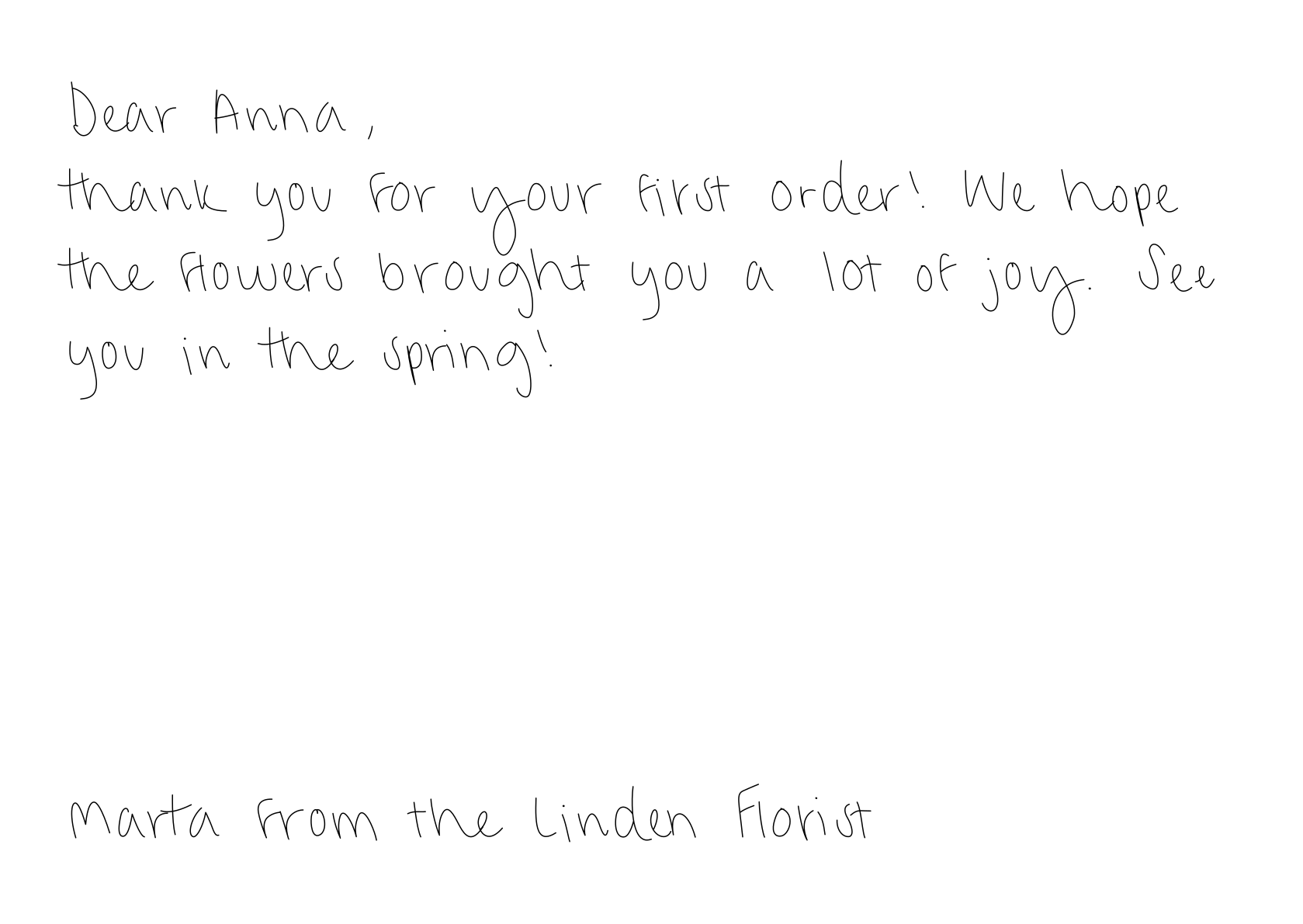
POST /api/postcards/preview returns an image of the card exactly as the robot will write it. Use it to show customers a proof, or to check that dynamic text fits before you place an order.
200 OK with Content-Type: image/png:
Request body
The preview takes the card fields from Create a postcard. It doesn’t need a recipient or address.Good to know
- Free. Previews never create a postcard or use a credit, in either mode.
- Card only. The preview shows the handwritten side. The envelope preview is available in the editor.
- Text that doesn’t fit is rejected, as on create. The preview returns the same
422card_fiterror as Create a postcard, so a200preview means the order will fit. - Mistakes are repeatable. With
mistake: true, the same message always crosses out the same word, so the preview matches the final card. - Cached for 10 minutes. Identical requests return the same image quickly.
- Rate limited. 30 previews per minute. See Rate limits.